Search Intent and User Behavior: A Beginner-Friendly SEO Booklet
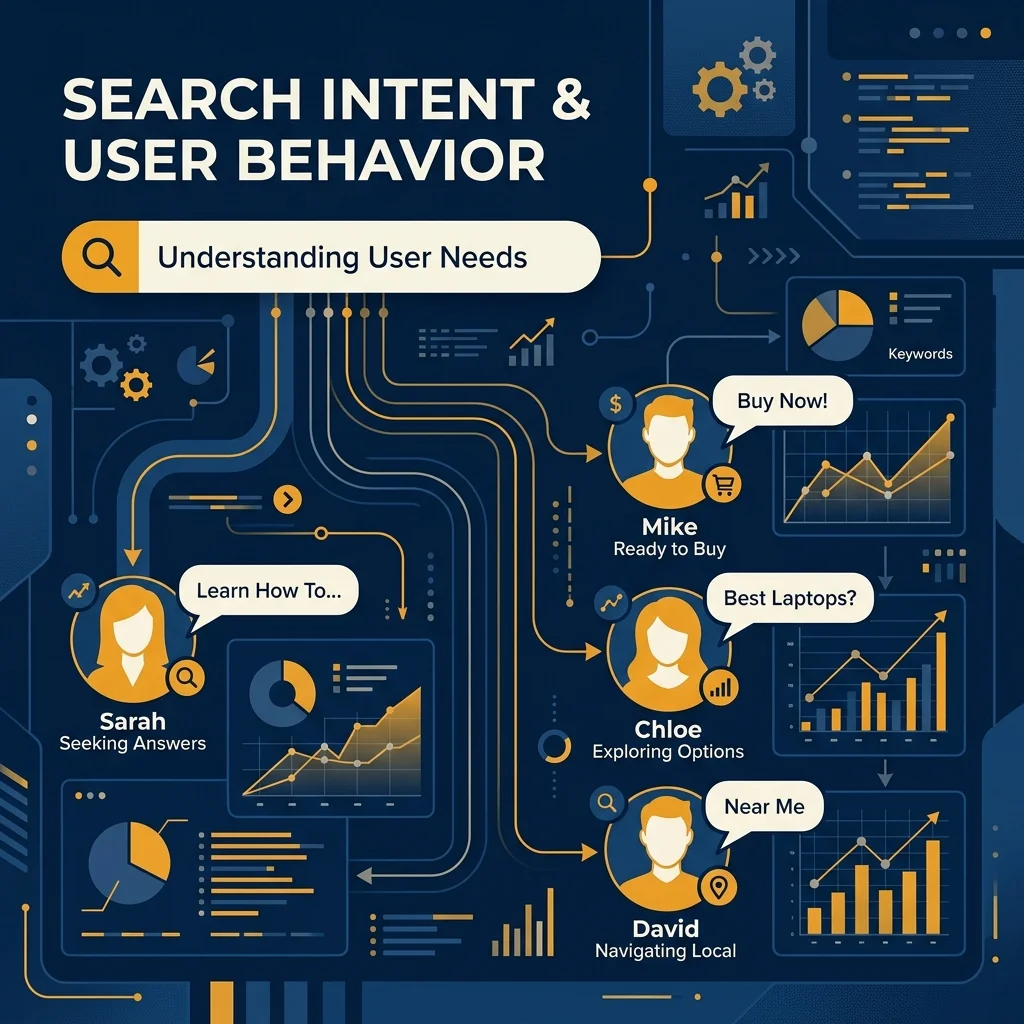
How to understand what searchers want, interpret their behavior, and create pages that satisfy real needs.
Current guidance verified against official Google documentation and the public Search Quality Evaluator Guidelines.
How To Use This Booklet
This lesson starts with the simplest possible definition and gradually adds the technical detail needed to make reliable SEO decisions. It does not assume that you already understand keywords, rankings, analytics, or Google Search Console.
Learning objectives
- Explain search intent and user behavior in plain English.
- Recognize the main intent types and understand where they overlap.
- Read a search results page to identify the dominant intent.
- Choose the right content type, format, angle, and call to action for a query.
- Use click-through rate and other data carefully when diagnosing an intent mismatch.
- Adapt intent research to local and generative AI search experiences.
Current guidance note: This booklet was checked on 29 July 2026. Google’s latest public Search Quality Evaluator Guidelines found during verification are dated 11 September 2025. They describe four broad query intents: Know, Do, Website, and Visit-in-person. Google also states that a query can have more than one reasonable intent and that query meanings can change over time.
Table of contents
- The core concept
- Why search intent matters
- Google’s official intent framework
- The modern SEO intent model
- Intent layers and query modifiers
- The search journey and user behavior
- How people choose a search result
- What happens after the click
- How to identify search intent
- How to create intent-matched content
- Measuring intent with Search Console and analytics
- Mixed, ambiguous, and changing intent
- Generative and AI search intent
- A practical intent-mapping workflow
- Summary, Common Mistakes, SEO Warning, and Practical Exercise
- Glossary and references
1. The Core Concept
Simple definition
Search intent is the goal behind a search. User behavior is the set of actions a person takes before, during, and after that search.
A search query is the exact word or phrase entered into a search engine. A keyword is the word or topic an SEO professional chooses to research or target. The two are related, but they are not always identical.
For example, the query “how to remove a stain from fabric” contains words about stains and fabric. However, the real need is not simply to read those words. The person wants a practical method that works. A page that defines the word “stain” may contain related vocabulary but still fail the intent.
Think of search intent as the hidden question behind the visible query:
| Visible query | Hidden need |
|---|---|
| how to organize a small room | Give me practical steps and ideas I can use. |
| [service name] login | Take me directly to the correct sign-in page. |
| best options for a small workspace | Help me compare choices before deciding. |
| buy a replacement charger | Help me complete a purchase now. |
| repair shop near me | Show me a relevant nearby place I can visit. |
Search intent and user behavior are connected, but they are not the same thing:
- Search intent: what the person is trying to achieve.
- User behavior: how the person expresses that need, evaluates results, uses a page, and decides what to do next.
Beginner rule: Do not optimize a page only for words. Optimize it for the task represented by those words.
2. Why Search Intent Matters
Google describes SEO as helping search engines understand content and helping users decide whether they should visit a page from search results. That makes intent central to both ranking relevance and click choice. [2]
When a page matches intent, several parts of SEO improve together:
- Relevance: the page is a stronger answer to the query.
- Search-result appeal: the title and snippet make the right promise.
- Page satisfaction: the expected answer appears in the expected place and format.
- Conversion quality: the next action fits the visitor’s stage instead of pushing too early.
- Content efficiency: you avoid writing unnecessary sections that do not help the searcher.
Intent mismatch
An intent mismatch happens when the page offers something different from what the searcher expected. The topic can be correct while the intent is wrong.
| Search need | Mismatched page | Better match |
|---|---|---|
| Learn how to do something | A sales page with no instructions | A step-by-step guide |
| Compare several options | A page promoting only one option | A balanced comparison |
| Complete an action now | A long article with no action path | A focused action or product page |
| Find a nearby place | A general national homepage | A local page with location details |
| Get a current answer | An undated or outdated page | A clearly updated current answer |
Important distinction: A high-quality page can still perform poorly for a query when it answers the wrong need. Quality and intent alignment are related, but one does not replace the other.
3. Google’s Official Intent Framework
Google’s public quality guidelines use four broad intent families. These are designed for evaluating whether search results meet user needs. They are not a requirement to label every keyword in an SEO spreadsheet, but they provide a useful foundation. [1]
| Google category | Plain-English meaning | Generic example |
|---|---|---|
| Know | The person wants information or wants to explore a topic. | how does a solar panel work |
| Know Simple | The person wants a short, specific fact that can be answered completely in little space. | how many minutes are in two hours |
| Do | The person wants to accomplish a goal or engage in an activity. | download a blank weekly planner |
| Website | The person wants a specific website or webpage. | [service name] account page |
| Visit-in-person | The person wants a nearby business, organization, or place. | printing service near me |
Queries can have multiple intents
A broad query may reasonably support several needs. A search for a general institution name, for example, might mean “visit the official website,” “find the nearest branch,” or “learn what the institution does.” Google’s guidelines explicitly advise considering multiple reasonable interpretations. [1]
Query meanings can change
Intent is not permanently attached to a word. New products, events, public meanings, seasons, or user expectations can change the dominant interpretation. Google’s guidelines say current information is normally assumed when a query concerns a recurring event or a changing topic unless the searcher specifies otherwise. [1]
Practical implication: Intent research must be repeated. A spreadsheet created twelve months ago does not overrule what the current search results show today.
4. The Modern SEO Intent Model
SEO teams often use four commercial labels—informational, navigational, commercial investigation, and transactional. Local intent is commonly added as a fifth category. In 2026, generative or AI-style intent is also useful as a behavioral layer, although Google does not present it as a separate official query category.
| Intent type | Main goal | Common signals | Best-fit page |
|---|---|---|---|
| Informational | Learn, understand, solve, or obtain an answer | what, why, how, guide, meaning | Guide, explanation, tutorial, reference page |
| Navigational | Reach a specific site, page, tool, or account area | name + login, portal, official, support | Homepage or exact destination page |
| Commercial investigation | Compare choices before committing | best, review, compare, alternatives, worth it | Comparison, review, category page, decision guide |
| Transactional | Complete an action now | buy, book, download, subscribe, apply, order | Product, booking, sign-up, download, or service page |
| Local / Visit-in-person | Find a nearby physical place or service | near me, open now, nearby, in [city] | Location page, map result, local landing page |
| Generative / AI exploratory | Request synthesis, reasoning, planning, or a multi-part answer | compare, analyze, recommend, create a plan | Structured expert answer with supporting evidence |
5. Intent Layers and Query Modifiers
A broad label such as “informational” is not detailed enough to design a page. You also need to identify the layers that shape the answer.
| Intent layer | Question to ask | Possible query signals |
|---|---|---|
| Freshness | Does the user need current, recent, historical, or timeless information? | today, latest, 2026, last month |
| Depth | Does the user need one fact, a beginner overview, or an expert explanation? | quick answer, complete guide, advanced |
| Format | Does the user expect a table, list, video, calculator, template, or step-by-step process? | template, checklist, examples, calculator |
| Audience | Who is the answer for? | for beginners, for managers, for students |
| Location | Is the answer affected by country, city, language, or distance? | near me, in [city], local rules |
| Urgency | Must the task be completed immediately? | now, open today, urgent, same day |
| Trust | How much evidence, authority, or verification is needed? | official, certified, research, safety |
A useful formula: Primary intent + intent layer + expected format = a much stronger content brief.
6. The Search Journey and User Behavior
User behavior begins before the click. A person recognizes a need, chooses words, scans the search results page, selects or ignores a result, uses the landing page, and decides whether to continue.
| Journey stage | Typical question | Likely behavior |
|---|---|---|
| 1. Need recognition | I have a problem, question, or goal. | May begin with a broad query. |
| 2. Exploration | What are the possible approaches? | Reads guides, definitions, examples, and discussions. |
| 3. Evaluation | Which option is best for my situation? | Compares evidence, features, risks, prices, or methods. |
| 4. Action | I am ready to do something. | Looks for a clear button, form, download, purchase, or booking path. |
| 5. Confirmation or support | Did it work, and what happens next? | Looks for instructions, tracking, support, or troubleshooting. |
7. How People Choose a Search Result
The search results page is often called the SERP, short for search engine results page. Before clicking, users usually scan visible clues and make a fast judgment about which result is most likely to help.
- Title link: the clickable headline of the result.
- Snippet: the descriptive text shown below or around the result.
- Freshness: a date, update signal, or wording that indicates current information.
- Specificity: whether the visible wording matches the exact problem.
- Trust cues: clear authorship, official status where relevant, reviews, or recognized expertise.
8. What Happens After the Click
After the click, the visitor checks whether the page fulfills the promise made in the search result. Most people do not begin by reading every word. They scan headings, opening text, visual structure, and obvious actions.
Useful on-page satisfaction checks:
- Is the main answer visible without unnecessary delay?
- Does the page format match what the query implies?
- Can the visitor identify the next useful step?
- Does the page clearly state scope, date, location, limitations, or eligibility where relevant?
SEO caution: Do not claim that a single analytics metric—such as bounce rate or time on page—is a direct Google ranking factor. Use behavior data to diagnose user experience, not to invent unsupported ranking formulas.
9. How to Identify Search Intent
Intent analysis combines language clues, live search-result observation, and performance data. No single tool can replace judgment.
- Read the query literally: Identify the subject, verbs, modifiers, location, time reference, audience, and expected outcome.
- Classify the likely primary intent: Choose the best initial label: informational, navigational, commercial, transactional, or local.
- Search the query and inspect the current SERP: Look at the dominant patterns rather than one isolated result.
- Identify dominant and secondary intent: The dominant intent is the need most results appear to satisfy. Secondary intents are reasonable but less common needs.
- Compare with actual query data: Search Console can show which queries produced impressions and clicks.
- Write an intent statement: "A person searching [query] primarily wants to [goal]..."
10. How to Create Intent-Matched Content
Once intent is clear, every major page element should support the same promise.
- Title link: Describe the main result the page provides.
- H1 heading: Confirm the page’s primary purpose.
- Opening section: Answer or orient the user immediately. Do not bury the main need under a long introduction.
- Main content: Use the expected depth and format.
- Call to action: Match the visitor’s readiness.
15. Summary & Common Mistakes
- Search intent is the goal behind a query; user behavior is how people express and pursue that goal.
- Google’s official framework uses Know, Do, Website, and Visit-in-person.
- A generative or AI-style query usually adds synthesis, reasoning, comparison, or planning to an existing Know or Do need.
- Intent analysis must include modifiers such as freshness, location, depth, format, urgency, audience, and trust.
SEO Warning
Do not manipulate intent signals: Do not use clickbait titles, fake freshness, misleading “official” claims, hidden content, or mass-produced pages created only to capture query variations. The search-result promise must accurately match the visible page, and the page should provide real value for the intended user.